Hello Mypromille Users,
Not every drink is on our list. The beer from the brewery down the road, the cider your neighbour makes, the cocktail a friend always mixes: you have always been able to log these by typing in the name, size and strength yourself. Up to now, though, the app only kept them in a short list of recent drinks, and after a few evenings they were gone and you had to type them in again.
That changes with version 5.3.19. Drinks you create yourself now stay, under a new section called My drinks.
This one came straight from your feedback. A user wrote in asking for a place to keep “my own drinks”, and when we looked, it was clear plenty of you were typing the same drinks in again and again.
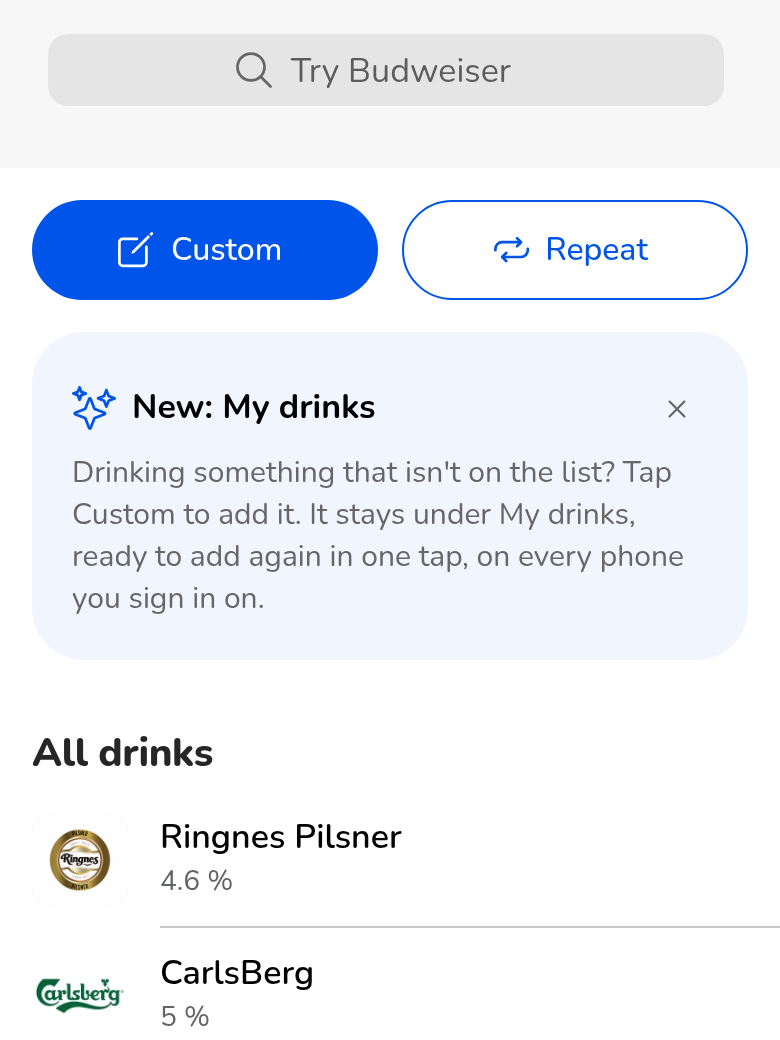
The new Custom button, and the card that introduces My drinks until you have saved one.
How it works:
- Create it once: In Add a drink, tap Custom. Choose the type, then enter the name, the size and the alcohol percentage (ABV), and confirm.
- Find it at the top: The drink is saved under My drinks, right at the top of the list, above All drinks. Every drink you create this way joins it.
- Add it again in one tap: Next time, tap the drink under My drinks. The size you poured last time is already filled in, so if it is the same glass, all that is left is to tap OK.
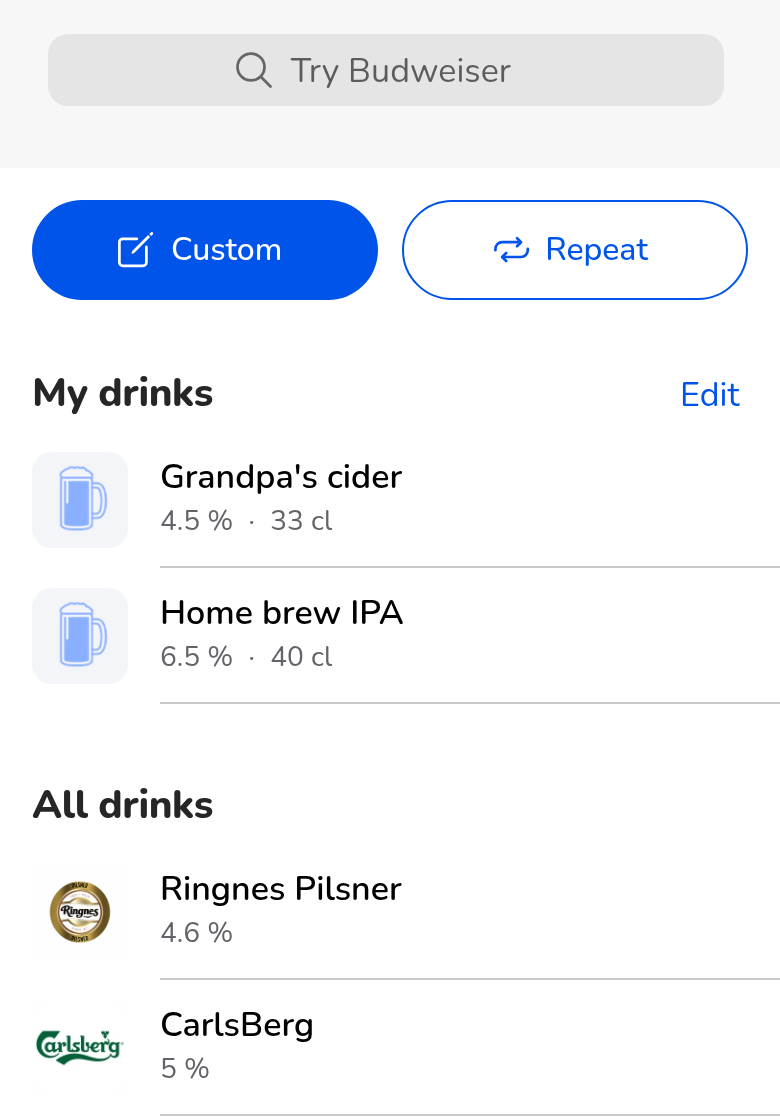
Your own drinks sit above the full list, with their strength and the size you last poured.
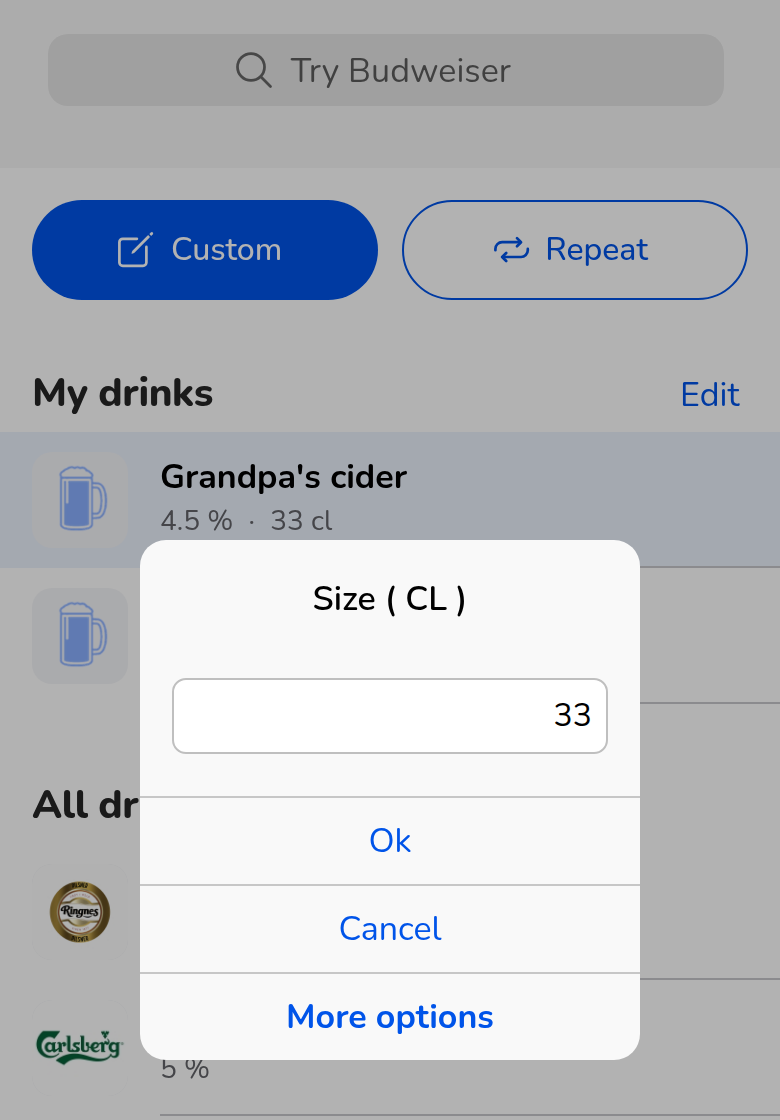
Last time’s size is filled in for you. Change it if this glass is different.
Searching works on My drinks too: start typing in the search box and your own drinks are filtered along with everything else.
On every phone you sign in on:
If you are signed in, My drinks are saved to your account, so they follow you to any phone you sign in on. They also work offline: anything you add or remove without a connection is synced once you are back online. If you use the app without signing in, My drinks are kept on that phone only.
Tidying up:
Made a typo, or stopped drinking something? Tap Edit next to the My drinks heading, then the red minus button in front of the drink you want to remove. Tap Done when you are finished. You can also swipe a drink to the left and tap Delete.
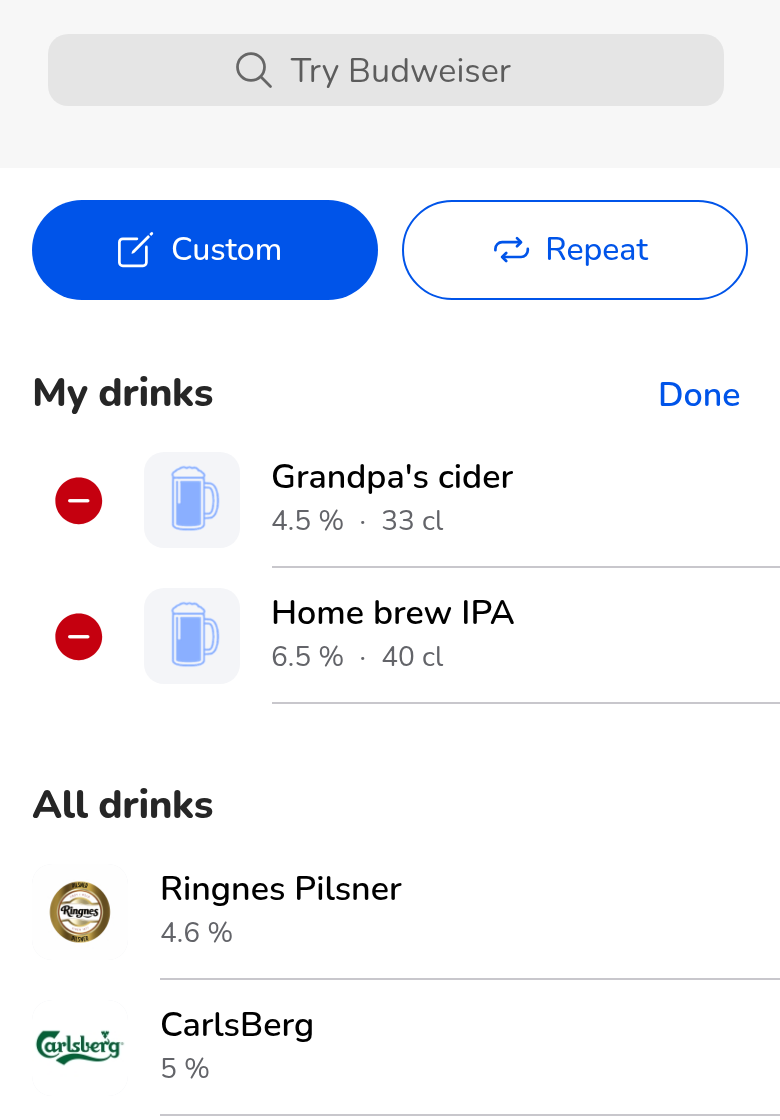
Edit mode: tap the red minus to remove a drink, then Done.
Why it matters:
Mypromille’s estimate is only as good as what you log. A drink that is quick to add is a drink that actually gets added, with the right size and strength, rather than skipped or swapped for something “close enough”. It is still an estimate, though, and no number in the app tells you it is safe to drive. If you have been drinking, leave the car.
Getting it:
My drinks arrives with version 5.3.19 of Mypromille. Update the app from the App Store or Google Play, and you will find the Custom button and the My drinks section the next time you add a drink.
Keep the suggestions coming. This feature exists because someone took the time to tell us what was missing.
Explore More:
- Website: Visit Our Website
- App Store: Download for iPhone
- Play Store: Download on Google Play
Stay aware, stay in control,
The Mypromille Team